The SRS Document That Makes AI-Augmented Development Actually Work
AI tools are only as good as the specs you feed them. Here's how I write Software Requirements Specifications that turn Claude Code from a guessing machine into a precision tool.
Here's a pattern I see constantly: a developer opens Claude Code or Cursor, types "build me an e-commerce site," and gets frustrated when the output is generic, poorly structured, and impossible to extend.
The problem isn't the AI. The problem is the input.
I've delivered production systems for medical centers, schools, e-learning platforms, and my own brand. Every single one started the same way — not with code, but with an SRS document. And when AI entered my workflow, the SRS became the most important file in the project.
Why Most Developers Skip the SRS
Because it feels slow. You want to build, not write documents. The irony is that skipping the SRS makes everything slower — you make wrong assumptions, build the wrong features, refactor constantly, and waste time arguing about scope that was never defined.
With AI tools, skipping the SRS is even worse. The AI has no context about your project, your users, your constraints, or your architecture. Without a spec, it guesses. And AI guesses at scale — it will confidently build the wrong thing very quickly.
An AI without a spec is a chef without a recipe. It'll cook something — but probably not what you ordered.
What Goes in an AI-Ready SRS
This isn't a 100-page academic document. It's a focused, practical spec that gives both you and the AI everything needed to build correctly. Here's the structure I use:
1. Project Identity
One paragraph. What is this project? Who is it for? What problem does it solve? This sounds basic, but it anchors every decision that follows. When the AI suggests a feature, you check it against this paragraph. If it doesn't serve the identity, it doesn't belong.
2. User Roles and Permissions
Who uses this system? What can each role do? For a medical platform, that's patients, doctors, and admins — each with different access. For a school portal, it's parents, teachers, and administrators. Define these upfront and the AI will generate proper role-based access control instead of a flat user model.
3. Pages and Features
Every page in the application, listed with its features. Not wireframes — just clear descriptions. "Course detail page: displays title, description, interactive roadmap, pricing, seat count, and a registration form that saves to form_submissions and triggers an email notification." That one sentence gives the AI enough to generate a functional page.
4. Tech Stack and Constraints
Explicitly state the technologies. Next.js 15 with App Router, TypeScript, Supabase for database, Tailwind CSS for styling. Also state the constraints — "no paid APIs," "must work on free tier," "bilingual Arabic/English required," "admin-only authentication." Constraints prevent the AI from making expensive or incompatible suggestions.
5. Database Schema
This is where most developers let AI decide — and where the most damage happens. The database schema is architecture. It's the one thing the AI should not design alone. Define your tables, relationships, and key fields. Use JSONB columns for flexible data. Let the AI implement the SQL, but you decide the structure.
6. Business Rules
The logic that lives between the lines. "When a course reaches max capacity, the registration button changes to a waitlist form." "When a testimonial is submitted, it requires admin approval before appearing on the homepage." "Payment is manual via WhatsApp — no online payment processing initially." These rules are invisible to AI unless you state them.
The SRS doesn't slow you down. It prevents you from building the wrong thing fast.
How the SRS Feeds into AI Workflow
Once the SRS exists, here's how I use it with Claude Code:
The SRS becomes the CLAUDE.md. I distill the SRS into a project context file that sits in the repo root. Claude Code reads it automatically on every session. It knows the project identity, the tech stack, the database schema, and the business rules — before I type a single prompt.
Features become prompts. Each page/feature description in the SRS becomes a targeted prompt. Instead of "build the course page," I say "implement the course detail page as described in section 3.4 of the SRS — interactive roadmap from JSONB, registration form saving to form_submissions, email notification via Resend." The AI has context, constraints, and a clear target.
The schema is the source of truth. When the AI generates database queries, I verify them against the schema in the SRS. Wrong table name? Wrong column type? Wrong relationship? I catch it immediately because the spec is right there.
The Ternary Development Model
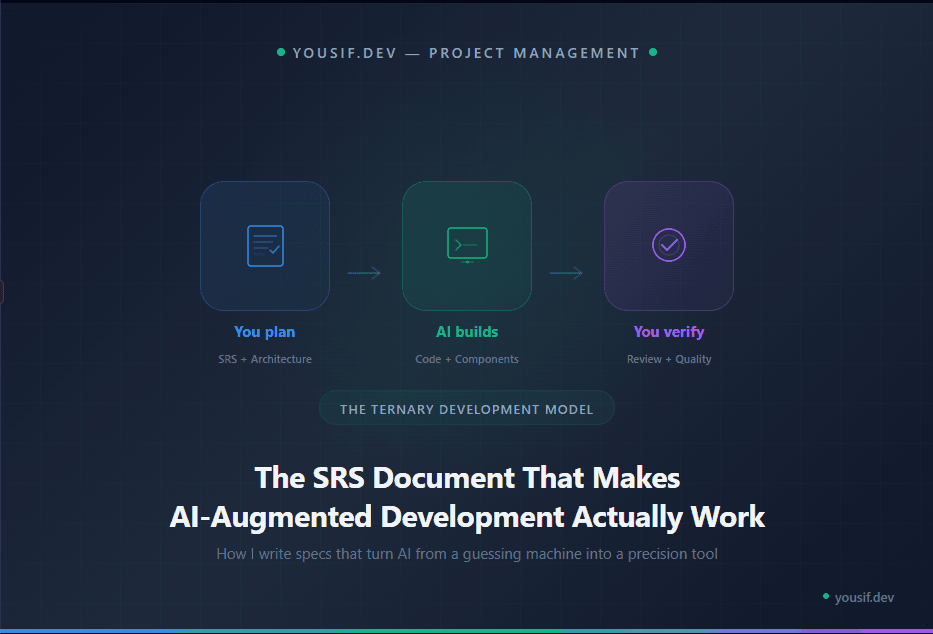
I call my workflow the Ternary Development Model. Three phases, each with a clear owner:
You plan. Requirements, architecture, SRS, database schema. This is human work. AI can help brainstorm, but the decisions are yours.
AI builds. With the SRS as context, AI generates code, components, migrations, tests. It's fast and accurate because the spec is clear.
You verify. Review the output against the spec. Test edge cases. Check security. Confirm business rules. The AI builds, but you quality-check.
Plan → Build → Verify. Human → AI → Human. The SRS is what makes the handoff between phases clean.
AI doesn't replace the architect. It replaces the typist. The SRS is proof that you're the architect.
A Real Example
For my own platform, the SRS document defined 17 database tables, 8 public routes, an admin dashboard with 10 CRUD sections, a bilingual content system, a media library, a testimonials pipeline, and an email notification system — all before a single line of code was written.
When I started building with Claude Code, I didn't need to explain the project every session. The CLAUDE.md had everything. Prompts were short and specific. The output was accurate because the context was complete.
The entire platform — from SRS to production — was built by one developer. That's the power of good specs combined with AI. Not working harder. Working with better context.
Start with the Spec
Next time you start a project, resist the urge to open VS Code first. Open a document. Write down what you're building, who it's for, what the pages are, what the data looks like, and what the rules are.
Then hand that document to your AI tool and watch the difference.
The developer who writes the best spec gets the best AI output. Every time.