My Production Stack: Vercel + Supabase + Cloudflare + Resend — The Full Setup
The exact infrastructure behind yousifdev.com — what each tool does, why I picked it, how they connect, and the gotchas nobody warns you about.
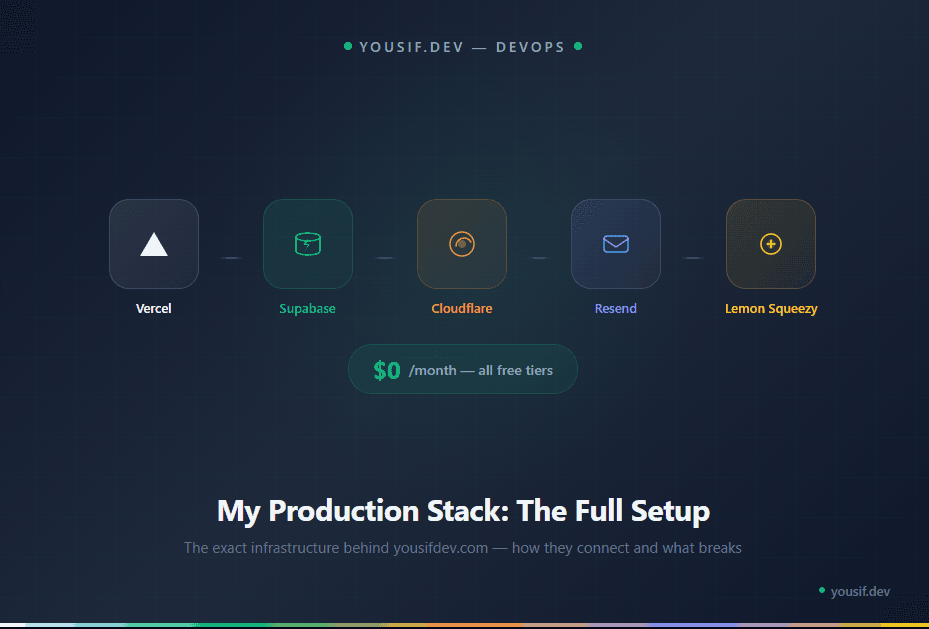
Every developer blog has a "my stack" post. Most of them list tools and move on. This one is different — I'm going to tell you how they actually connect, what breaks, and what I'd change.
This is the exact infrastructure running yousifdev.com in production right now. No sponsors, no affiliate links — just what works.
The Stack at a Glance
Framework: Next.js 15 (App Router, TypeScript)
Hosting: Vercel (Hobby tier)
Database + Auth + Storage: Supabase (Free tier)
Domain + DNS: Cloudflare Registrar
Email: Resend + React Email
Payments: Lemon Squeezy (Merchant of Record)
Styling: Tailwind CSS 4 + Framer Motion
Admin: Refine (React admin framework)
Editor: TipTap (JSON-based rich text)
i18n: next-intl (English + Arabic)
Total monthly cost: $0. Everything runs on free tiers. That changes when I scale, but for a personal brand platform with moderate traffic, this is more than enough.
Vercel — Hosting That Just Works
Vercel is the obvious choice for Next.js — they built it. Push to GitHub, Vercel deploys automatically. Preview deployments for every pull request. Edge network for fast global delivery.
The Hobby tier gives you unlimited deployments, 100GB bandwidth, and serverless functions. For a personal platform, you won't hit these limits.
What I like: Zero configuration deploys, automatic HTTPS, instant rollbacks, great dashboard for monitoring build times and function logs.
What to watch: The Hobby tier is for non-commercial use. Once you're making money, you need the Pro plan ($20/month). Also, serverless function cold starts can add 200-500ms to first requests.
Supabase — The Backend in a Box
Supabase handles three things for me: PostgreSQL database (17 tables), authentication (admin-only), and file storage (media library). One service, three problems solved.
The database uses a mix of structured columns for queryable data and JSONB columns for flexible content — course roadmaps, TipTap article bodies, and site settings all live in JSONB. This gives me relational integrity where I need it and schema flexibility where I don't.
The gotcha nobody warns you about: Supabase free tier pauses your database after 7 days of inactivity. Your site goes down. The fix is UptimeRobot — set up a free monitor that pings your site every 5 minutes. It keeps the database alive and alerts you if anything breaks.
UptimeRobot is not optional on the Supabase free tier. Set it up the same day you deploy.
Cloudflare — Domain and DNS
I use Cloudflare as the domain registrar (bought yousifdev.com through them) and DNS provider. Cloudflare's registrar charges at-cost pricing — no markup, no surprise renewal fees.
Critical setting: DNS records pointing to Vercel must be set to DNS-only mode (gray cloud), not Proxied (orange cloud). If you proxy through Cloudflare, it conflicts with Vercel's SSL and edge network. SSL errors, redirect loops, broken deployments.
I also use Cloudflare email forwarding to route [email protected] to my personal Gmail. Free, simple, no email hosting needed.
Resend — Transactional Email That Developers Actually Like
Resend handles all outgoing email — contact form notifications, course registration confirmations, prompt book download links, testimonial alerts. The emails are built with React Email, which means I write email templates in JSX with the same component patterns I use for the rest of the app.
Why not SendGrid or Mailgun? Developer experience. Resend's API is cleaner, the React Email integration is native, and the free tier (100 emails/day) is plenty for a platform this size. Plus the dashboard actually shows you what's happening with your emails.
Lemon Squeezy — Payments from Oman
This was the hardest piece to solve. Stripe doesn't support Oman. PayPal is unreliable in the region. I needed a payment processor that works as a Merchant of Record — meaning they handle tax compliance, invoicing, and payouts.
Lemon Squeezy supports sellers in Oman with direct payouts to Bank Muscat. The fee is 5% + $0.50 per transaction — higher than Stripe, but it's the cost of having a Merchant of Record handle everything.
I use it for prompt book sales and will expand to course payments once the commercial register is sorted.
How They All Connect
The data flow is straightforward:
User visits yousifdev.com → Cloudflare DNS resolves to Vercel
Vercel serves the Next.js app → Server Components fetch data from Supabase
User submits a form → API route saves to Supabase → Resend sends notification email
User buys a prompt book → Lemon Squeezy handles payment → Webhook updates Supabase
Admin logs in → Supabase Auth verifies → Refine dashboard loads
No microservices. No message queues. No Kubernetes. Just a Next.js app talking to a PostgreSQL database with a few API integrations. Simple systems are reliable systems.
The best architecture for a solo developer is the one you can debug at 2 AM without calling anyone.
The Environment Variables Checklist
For anyone setting up a similar stack, here's what needs to be configured in Vercel:
NEXT_PUBLIC_SUPABASE_URL— Your Supabase project URLNEXT_PUBLIC_SUPABASE_ANON_KEY— Public anon key (safe to expose)SUPABASE_SERVICE_ROLE_KEY— Server-only, never exposed to clientRESEND_API_KEY— For sending transactional emailsNEXT_PUBLIC_SITE_URL— Must be your production domain, not localhostADMIN_EMAIL— Where admin notifications get sent
Get any of these wrong and something will silently fail. The most common mistake is leaving NEXT_PUBLIC_SITE_URL pointing to localhost in production — your SEO, OG images, and sitemap all break.
What I'd Change
If I were starting over with unlimited budget, I'd upgrade Supabase to the Pro tier ($25/month) immediately — no more database pausing, better performance, daily backups. And I'd move to Vercel Pro ($20/month) for commercial use and better analytics.
But that's $45/month. For a platform that's still building its audience, the free tier stack is the right call. Optimize for survival first, then optimize for scale.